
7 Free AI Productivity Tools for Creators in 2026
I used to spend 6-7 hours a day on content creation, emails, and scheduling social media, and I always felt behind. Then a fellow creator told me she was using free AI tools to handle repetitive tasks and could get twice as much done in half the time.
I spent two weeks testing free AI tools, and while many didn’t work, a few completely changed my workflow. Tasks that used to take hours now take minutes.
The best part is you don’t need expensive tools—there are free AI tools that deliver real results.
These tools don’t just save time, they also improve your work. With less stress and more energy, content is better, ideas come faster, and business decisions feel sharper.
What are the Best Free AI Productivity Tools?
Here are the best free AI productivity tools you can start using today.
1. ChatGPT – Your Free AI Creative Assistant

ChatGPT is one of the most useful free tools for any creator. It can help with ideas, research, brainstorming, writing, editing, and many small tasks that normally take hours.
Creators often start their day by giving ChatGPT a content plan and asking for video ideas or topics. What used to take an hour of searching on social media can now take only a few minutes.
The ideas may not be perfect, but they give a good place to start.
ChatGPT is also great for breaking creative blocks. If you do not know how to begin a script or article, you can explain your goal and ask for a few simple structures. This often saves a lot of time and stress.
The free version has some limits, like slower responses during busy times, but it is still strong enough for most tasks. Many creators grow their content with only the free tier.
One helpful tip is to be very clear with your prompts. If you ask something vague like write a blog about productivity the result will be generic.
If you give details like write a friendly 300 word intro for a blog about AI tools for creators who feel overwhelmed the output will be much better.
2. Canva Free – AI Powered Design Made Simple
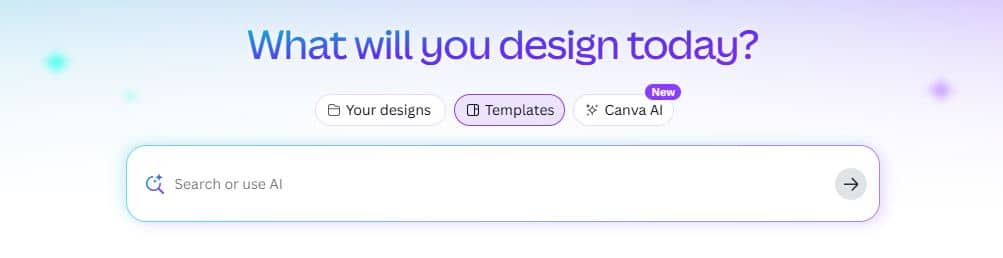
Canva Free is one of the easiest ways for creators to make professional designs without needing graphic design skills. It gives access to thousands of templates for social media posts, YouTube thumbnails, presentations, infographics, posters, and more.
What makes Canva Free even more powerful today are its built-in AI tools. These include background removal, Magic Eraser for deleting unwanted objects, and basic AI image generation. These features make design much faster and less stressful.
Most creators use Canva Free to make their thumbnails, social media graphics, and blog images in just a few minutes.
The usual workflow is simple. Start with a template, change the colors, add your images or AI visuals, replace the text, and the design is ready. This cuts design time from almost an hour to around ten minutes.
The AI text to image tool is simple but helpful for creating small illustrations, icons, or background images. It is not as advanced as paid AI art tools, but it is strong enough for everyday design needs.
Canva Free also helps with brand consistency. Once you set up your brand colors and fonts, you can apply them to any design with one click. This keeps all your content looking clean, professional, and recognizable to your audience.
3. Notion AI – Your Free Second Brain
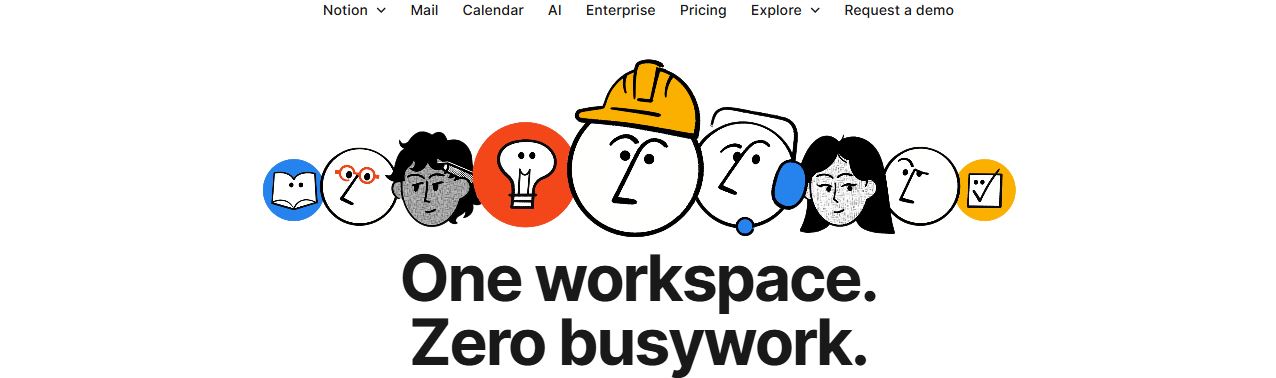
Notion is one of the best tools for staying organized as a creator, and the free AI features make it even more helpful. If notes, ideas, tasks, and projects are spread across different apps, Notion brings everything into one clean workspace.
The free plan includes monthly AI credits, which is enough for most solo creators. Notion AI can summarize long notes, turn messy brainstorms into clear outlines, and create simple action lists from meeting notes.
Many creators use Notion to manage their entire content workflow. It can store ideas, track which projects are in progress, schedule publishing dates, and keep performance stats.
With AI, it becomes much easier to review work, spot patterns, and understand what content performs best.
A popular feature is action item extraction. You can write down all your ideas or thoughts in one big note, then let Notion AI pull out the tasks you need to complete. This saves a lot of time and keeps you focused on what matters most.
The free plan does have limits for large teams, but for individual creators or small side hustles, it works extremely well. Many creators run their whole business from Notion Free without ever needing to upgrade.
4. Grammarly Free – AI-Powered Writing Assistant
Every piece of content I create goes through Grammarly before publishing, and the free version catches probably 80% of my errors and awkward phrasing.
As someone who writes daily for blogs, social media, emails, and video scripts, having AI-powered editing support has dramatically improved my content quality.
Grammarly Free provides real-time grammar checking, spelling corrections, and basic style suggestions as you type across any platform – Google Docs, social media, email, content management systems, everywhere.
This omnipresent editing assistance means you’re always putting out polished content regardless of where you’re writing.
The tool catches embarrassing mistakes I would never spot myself, like incorrect word usage, misplaced commas, and agreement errors that make you look unprofessional. I’ve definitely avoided some cringeworthy published typos thanks to Grammarly flagging issues before I hit publish.
5. Descript Free – AI Video and Audio Editing
Descript makes video and audio editing much easier, even for beginners. Instead of editing on a timeline, it turns your video or audio into text. You edit the content by editing the text, which feels more like working in a document than a video editor.
The free plan includes one hour of transcription each month. This is enough to edit short videos, podcast episodes, or voice recordings.
Once the file is uploaded, Descript quickly creates a transcript that can be edited right away.
One of the best features is automatic filler word removal. The tool finds words like um, uh, and like and removes them with one click. This instantly makes recordings sound cleaner and more professional without manual work.
Descript is also great for creating short clips. You can search the text for a good quote, select it, and export it as a short video for social media. This saves a lot of time compared to traditional editing.
While the free version has limits, it offers more than enough features for creators who are just starting with video or audio content. It helps save time and reduce the stress of editing.
6. Otter.ai Free – AI Meeting Notes and Transcription
Otter.ai is a free AI tool that automatically takes notes during meetings. It records the conversation, turns it into text in real time, and creates short summaries with key points and action items. This lets you focus on the conversation instead of typing notes.
The free plan includes 300 minutes of transcription each month. This is enough for several client calls, planning meetings, or group discussions. For most creators and small business owners, the free version is more than enough.
One big advantage of Otter.ai is search. Every meeting is saved and searchable, so you can quickly find what was said weeks later by typing a keyword. This is very helpful when checking details, decisions, or client requests.
Otter.ai also creates automatic meeting summaries. These summaries clearly show what was discussed and what needs to be done next. You can review them, make small edits, and share them with others to avoid confusion or missed tasks.
The tool works with Zoom, Google Meet, and Microsoft Teams. It can join meetings automatically, so nothing important is missed. For anyone who attends meetings regularly, Otter.ai saves time and reduces stress.
7. Perplexity AI – Free AI Research Assistant
Perplexity AI is a free research tool that searches the internet in real time and gives clear answers with source links. This makes it very useful for creators who need fresh, accurate information instead of outdated data.
The free version allows unlimited quick searches. It can be used for fact checking, finding statistics, researching trends, and learning about competitors or industries. This saves a lot of time compared to manual searching.
Unlike Google, Perplexity does more than show links. It reads information from many sources and summarizes it into one clear answer. You can still click the sources if you want to explore deeper or confirm details.
Perplexity also works well for complex or niche topics. You can ask follow-up questions and get clearer answers without starting a new search each time. This makes research faster and easier, even for beginners.
One of its best features is citations. Every answer shows where the information comes from, so you can trust the data and properly reference sources in your content. This helps build credibility and avoids sharing incorrect information.
Why AI Productivity Tools Are Game Changers for Creators
Creators often work alone or in very small teams. That means doing everything: creating content, answering messages, planning posts, and handling admin tasks. Without help, it is easy to burn out. This is where free AI tools become extremely helpful.
People used to say to hire a virtual assistant to save time, but most creators cannot afford that. Free AI tools work like extra helpers without costing anything.
The best part is that today’s free AI tools are actually strong and useful, not limited versions made to push you into paid plans.
Small time savings also matter. If a tool saves you just 30 minutes a day, that adds up to more than 180 hours a year. That is almost a full month of work you get back. Use a few good tools together and you can save hundreds of hours.
Many creators are able to double their output without working longer hours just by using the right AI tools for their main problems. The secret is to choose tools that fix your daily struggles, not every new AI tool you see online.
Final Thoughts
Free AI productivity tools have fundamentally changed what’s possible for solo creators and small creative businesses.
The playing field has leveled in ways that seemed impossible just a few years ago, giving independent creators capabilities that previously required large teams or substantial budgets.
You don’t need to spend thousands on premium software or hire multiple assistants to compete with larger operations anymore.
Strategic use of free AI productivity tools provides similar capabilities while preserving the profit margins that make creator businesses sustainable.
The seven tools I’ve shared aren’t theoretical recommendations – they’re the exact free tools I use every single day to run my creative business more efficiently and effectively.
These tools have collectively given me back 15-20 hours weekly that I’ve reinvested into creative work, strategic planning, and honestly, just having more balance in my life.
AI is already changing how creators work, and free tools make it available to everyone. Try them, experiment, and see how much more you can get done when technology works for you.

The Best Blogging Platforms You Should Consider Using in 2025

Moosend Review: Pros, Cons & Features in 2026

7 Best URL Shortener Software in 2026 (Ranked)
About Author

Alma Coul
Alma is the founder and CEO of Eagles Digital. He is an SEO expert and has over seven years of experience in Web programming and building visibility for businesses through content marketing.