
7 Best AI Tools for Faceless YouTube Channels in 2026
How can videos reach millions of views without appearing on camera?
How do creators produce professional voice-overs without using their own voice?
It often seems like something only advanced creators with expensive equipment can achieve.
But that’s no longer true.
AI tools have completely changed how content is created. Today, anyone can write scripts, generate voiceovers, edit videos, and publish high-quality content—without technical skills or a big budget.
Building a successful faceless YouTube channel no longer requires being confident on camera or investing in a professional studio.
With the right tools and a clear process, creating engaging content becomes simple and scalable.
Faceless channels are now one of the most accessible ways to get started on YouTube.
From meditation videos to educational content, commentary, and AI storytelling, creators are building entire channels without ever recording themselves.
This guide breaks down the best AI tools to help you create faceless YouTube videos step by step—so you can start faster and grow smarter.
Let’s get into it.
What Are The Best AI Tools For Faceless YouTube Channels?
The following are the best AI tools available for creating YouTube content without showing your face.
1. InVideo AI
Best Overall For Complete Faceless Video Creation
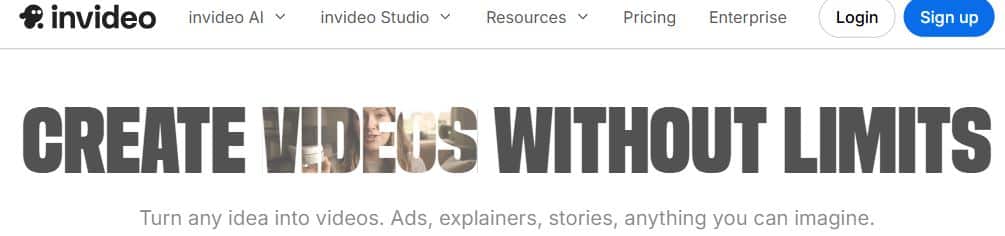
InVideo AI is hands down one of the most powerful tools you can use for creating entire YouTube videos from just a text prompt.
It offers an all-in-one solution that generates scripts, finds stock footage, adds voiceovers, includes music, and edits everything together automatically.
From creating top 10 lists to educational explainers and story-based content, InVideo AI handles the entire production process without you touching a camera.
You can even use their AI to generate video ideas based on trending topics in your niche.
Combined with their massive library of stock footage and music, you can create professional-looking videos that keep viewers engaged from start to finish.
Key Features:
- Invideo ai dashboard The text-to-video feature uses AI to create complete videos based on just a description of what you want.
- InVideo AI has automated script generation that writes engaging narration based on your topic and target audience.
- You can choose from multiple AI voice options that sound natural instead of robotic.
User Experience:
Invideo editing interface The workflow is incredibly simple – you describe your video idea, choose a style, and the AI builds everything in minutes.
Editing is done through text commands, so you can say “make the intro shorter” or “change the background music” and it updates automatically.
Pricing:
InVideo offers the following plans:
- Free Plan: $0/month (limited exports with watermark)
- Plus Plan: $25/month
- Max Plan: $60/month
You can also get a free trial of premium features before committing.
2. ElevenLabs
Best for Realistic AI Voiceovers

ElevenLabs delivers some of the most realistic AI voiceovers available today. The voices sound natural, clear, and almost indistinguishable from human narration.
For faceless YouTube channels, high-quality audio plays a major role in keeping viewers engaged.
This tool generates lifelike voices with natural pacing, tone, and emotion—making content feel more professional and easier to watch.
It supports multiple languages and accents, which makes it ideal for reaching a global audience.
Creators can either choose from a large voice library or build a custom voice using voice cloning for a more unique channel identity.
From meditation videos to documentaries and educational content, strong narration helps improve watch time and overall viewer experience.
Key Features:
- Their voice library has hundreds of options, and I love how each voice has distinct personality and tone.
- Voice cloning lets me create a custom AI voice based on just a few minutes of sample audio.
- The emotion controls let me adjust the delivery from calm and soothing to energetic and excited.
- Multi-language support means I can create content in different languages without hiring multiple voice actors.
User Experience:
Creating voiceovers is as simple as pasting your script and selecting a voice – the AI handles all the natural pauses and inflections.
The quality is so good that most viewers won’t realize it’s AI-generated unless you tell them.
Pricing:
ElevenLabs offers these plans:
- Free: $0/month (10,000 characters per month)
- Starter: $5/month (30,000 characters)
- Creator: $22/month (100,000 characters)
- Pro: $99/month (500,000 characters)
3. Pictory AI
Best for Turning Scripts into Videos

Pictory AI isn’t just a video editor.
It’s an AI-powered tool that turns written content into engaging videos automatically.
Whether it’s a script, blog post, or long-form article, this platform converts text into ready-to-publish video content in minutes.
Instead of recording footage or editing manually, the AI analyzes your content and matches it with relevant visuals, stock clips, and on-screen text.
This makes it a strong choice for educational channels, commentary videos, and content repurposing.
Bloggers and business owners often use it to transform existing articles into videos, helping them reach a wider audience without creating content from scratch.
Once the text is added, Pictory handles the visuals, timing, and structure—so the entire process stays fast and beginner-friendly.
Say goodbye to manual editing and hours of video production.
Key Features:
- You can automatically turns scripts into full videos with matching visuals for each scene.
- Pictory AI also alow you to paste a blog URL and generate a complete video in minutes.
- Automatic highlight detection pulls out the most important points for short-form content creation.
- Text overlay options add captions and key phrases that increase watch time and accessibility.
User Experience:
Creating videos feels more like editing a document than traditional video editing, which makes it accessible for non-editors.
The AI does most of the heavy lifting, but you can still customize scenes, timing, and visuals if needed.
Pricing:
Pictory comes with the following plans:
- Starter: $25/month (200 video minutes)
- Professional: $35/month (600 video minutes)
- Teams: $119/month (1800 video minutes)
A free trial is available with limited video creation.
4. ChatGPT Plus
Best For Scriptwriting and Content Ideas
ChatGPT Plus is essential for any faceless YouTube creator who needs help with scripts, video ideas, titles, descriptions, and content planning.
It generates engaging scripts tailored to your channel’s niche and audience in minutes instead of hours of staring at a blank page.
You can brainstorm video topics, outline entire series, write hooks that grab attention, and even create YouTube descriptions optimized for search.
From creating story scripts for Reddit reading channels to educational content outlines, ChatGPT handles the creative heavy lifting.
The Plus version with GPT-4 produces much higher quality scripts that sound natural and keep viewers engaged.
Key Features:
- The conversation format lets me refine scripts back and forth until they’re exactly what I need.
- GPT-4 understands YouTube-specific formatting like hooks, pattern interrupts, and call-to-action placement.
- Custom instructions let me set my channel’s tone and style once, so every script matches my brand voice.
- Research capabilities help me fact-check information and find relevant data for educational content.
User Experience:
Writing scripts becomes collaborative brainstorming where you guide the direction and ChatGPT fills in the details.
The speed is incredible – what used to take me two hours of scriptwriting now takes 15-20 minutes.
Pricing:
ChatGPT offers these plans:
- Free Version: $0 (GPT-3.5, slower, limited features)
- ChatGPT Plus: $20/month (GPT-4 access, faster responses, priority)
5. Runway ML
Best For AI-Generated Visual Effects
Runway ML is a powerful AI video tool that helps you create unique visuals and effects without needing advanced editing skills.
It allows you to generate animations, remove objects, and even create short video clips using simple text prompts.
You can use Runway ML to make your faceless videos stand out instead of relying only on basic stock footage.
It’s especially useful for storytelling, documentary-style content, or any niche where visuals play a big role.
It also makes video editing much easier by automating tasks like background removal and motion tracking, which normally take a lot of time to do manually.
I use Runway ML to add a more professional and creative look to my videos without spending money on expensive software or hiring editors.
If you’re just getting started, Runway ML offers free tools that are enough to create simple visuals and short clips.
However, if you want higher quality outputs, longer videos, and access to more advanced features, then upgrading to a paid plan will give you more flexibility and better results.
Key Features:
- You can create short clips based on text prompts, perfect for unique intro sequences.
- Green screen removal works without needing an actual green screen, cleaning up footage automatically.
- Style transfer applies artistic effects to stock footage, making generic clips look unique to your channel.
- I like how Motion tracking and object removal help polish videos by eliminating distractions or unwanted elements.
User Experience:
The interface feels like a creative playground where you experiment with different AI tools to enhance your videos.
Some features require trial and error to get good results, but the possibilities are exciting once you learn the tools.
Pricing:
Runway ML pricing includes:
- Free: $0 (limited credits)
- Standard: $12/month (625 credits)
- Pro: $28/month (2,250 credits)
- Unlimited: $76/month (unlimited credits)
6. Descript
Best For Video Editing Without Video Editing Skills
When it comes to editing videos without any technical skills, Descript is one of the easiest tools you can use. It lets you edit your faceless YouTube videos by simply editing text, just like a document.
Instead of working with complicated timelines, you can remove mistakes, cut parts, or rearrange your video by deleting or moving words in the transcript.
This makes the whole editing process much faster and beginner-friendly, especially if you’re creating faceless videos with voiceovers.
Descript also combines both audio and video editing in one place, so you don’t need multiple tools to finish your content.
For example, you can remove filler words, fix awkward pauses, and clean up your voiceover in just a few clicks. It also has a feature called Overdub, which lets you correct voice mistakes by typing instead of recording again.
Key Features:
- Text-based editing lets me cut, rearrange, and polish videos by simply editing the script transcript.
- Automatic filler word removal cleans up “um” and “uh” sounds with one click, making AI voiceovers sound more professional.
- Overdub AI voice cloning lets me fix narration mistakes by typing corrections instead of regenerating entire sections.
- Multi-track editing supports multiple audio layers for music, sound effects, and voiceover mixing.
- Screen recording features help create tutorial and educational content without additional software.
User Experience:
Editing feels accessible and intuitive even for complete beginners because you’re working with text instead of complicated timelines.
The learning curve is much gentler than traditional video editors like Premiere Pro or Final Cut.
Pricing:
Descript offers these plans:
- Free: $0 (limited features, watermarked exports)
- Hobbyist: $16/month (up to 10 hours of transcription)
- Creator: $24/month (up to 30 hours of transcription)
- Business: $50/month (up to 40 hours of transcription)
7. Canva Pro
Best For Creating YouTube Thumbnails

When it comes to creating thumbnails and channel visuals that actually get clicks, Canva Pro is one of the best tools you can use.
It helps you design professional-looking thumbnails, banners, and graphics without needing any design experience.
You can choose from thousands of ready-made templates that are built to grab attention, or create your own design from scratch using simple drag-and-drop tools.
Canva also makes it easy to keep your channel looking consistent by saving your colors, fonts, and styles in one place.
This is especially important for faceless channels, where your thumbnail is often the first thing that decides whether someone clicks your video or scrolls past.
If you’re just starting, the free version of Canva is more than enough to create clean and simple designs.
But if you want access to more templates, premium elements, and advanced features, Canva Pro gives you more flexibility to create thumbnails that stand out and get more views.
Key Features:
- The YouTube thumbnail templates are specifically sized and designed for maximum click-through rates.
- Background remover helps create clean graphics without distracting elements.
- Brand kit saves your channel colours, fonts, and logos so every thumbnail looks cohesive.
- Magic Resize automatically adapts designs for different platforms if you repurpose content.
- Their stock photo library gives you millions of images to use without copyright issues.
User Experience:
Creating professional thumbnails takes 5-10 minutes instead of hours in Photoshop, thanks to the drag-and-drop simplicity.
Templates provide starting points that you customize rather than designing from scratch.
Pricing:
Canva offers these plans:
- Free Plan: $0 (limited features and templates)
- Canva Pro: $14.99/month (unlimited features)
- Canva Teams: $29.99/month (for up to 5 people)
Which AI Tool Do You Really Need?
After working with all these tools on my faceless YouTube channel, here’s my honest recommendation based on your content type:
For complete beginners: Start with InVideo AI. It handles everything from script to finished video in one platform, letting you create your first videos quickly without overwhelming technical decisions.
If you need the best voiceovers: ElevenLabs produces the most natural-sounding AI voices that keep viewers engaged. The voice cloning feature creates a unique sound for your channel.
For script-based content: ChatGPT Plus generates scripts faster than any other tool at the lowest price point. Combine it with other tools for the complete workflow.
If you’re repurposing written content: Pictory AI transforms blog posts and articles into videos automatically, perfect for creators who already have written material.
For unique visual content: Runway ML creates original visuals that help your channel stand out instead of using the same stock footage as everyone else.
For easy editing: Descript makes video editing accessible even if you’ve never edited before, with text-based editing that feels natural.
For thumbnails and branding: Canva Pro creates the eye-catching thumbnails that actually get clicks and views.
Conclusion
Trying to grow on YouTube without using AI tools today is like creating content on hard mode.
You might still make progress, but it will take more time, more effort, and a lot more trial and error.
The right AI tools can speed up your workflow, improve your content quality, and help you stay consistent without burning out.
Whether you’re turning long videos into shorts, creating realistic AI videos, or using video generators to scale your content, these tools give you a serious advantage.
All of the tools we covered can help you create faster, smarter, and better.
And at this point, AI in content creation isn’t optional anymore — it’s becoming the standard.
Further reading on Eaglesdigital: Want to go deeper into AI content creation and YouTube growth?
Check out my guide on Best AI Tools to Repurpose Long Videos into Shorts to multiply your content without extra work.
You can also explore How to Create a Realistic AI Video for Free if you want to produce high-quality videos without expensive software.
And if you’re looking to scale your content fast, don’t miss Best AI Video Generators to find the right tools for your workflow.
If you’re serious about building a faceless channel, these guides will help you move faster and stay ahead.

5 Best HTML and CSS Editors of 2026

7 Best Portfolio Website Builders of 2026 (Ranked)

23 Proven Ways to Make Your First $1000 with AI
About Author

Alma Coul
Alma is the founder and CEO of Eagles Digital. He is an SEO expert and has over seven years of experience in Web programming and building visibility for businesses through content marketing.