
11 Best AI Tools to Repurpose Long Videos into Shorts (2026 Guide)
Have you ever spent hours filming a long video, only to wonder how to repurpose long videos into shorts for social media? You are not alone.
Many content creators struggle with turning long-form content into short, engaging clips for platforms like YouTube Shorts, TikTok, and Instagram Reels.
The good news is that AI tools to repurpose long videos into shorts have made this process incredibly simple. These tools automatically analyze your video and cut it into short, high-performing clips in just minutes.
You no longer need to spend hours editing or guessing which parts of your video will perform best.
In this guide, I will show you 11 of the best AI tools to repurpose long videos into shorts quickly and easily.
Whether you are a beginner or already familiar with video editing, these AI video repurposing tools can save you time and help you grow faster on YouTube, TikTok, and Instagram.
Why Use AI Tools to Repurpose Long Videos into Shorts?
Before we look at the tools, let’s quickly understand why using AI for video repurposing is such a smart strategy.
First, AI saves you time. Instead of watching your entire video and manually cutting the best moments, AI automatically detects engaging sections and turns them into ready-to-post shorts within seconds.
Second, these AI tools help you create more content from one long video.
A single podcast, webinar, or YouTube video can be transformed into 5, 10, or even 20 short clips. This allows you to post consistently without creating new content from scratch.
Third, short-form videos get more views and engagement. Platforms like YouTube Shorts, TikTok, and Instagram Reels generate billions of views every day.
By using AI tools to turn long videos into shorts, you increase your chances of reaching a larger audience and growing your channel faster.
What Are the Best AI Tools to Repurpose Long Videos into Shorts?
Here are my top picks for the best AI tools to repurpose long videos into shorts this year.
1. Vozo AI Shorts Generator
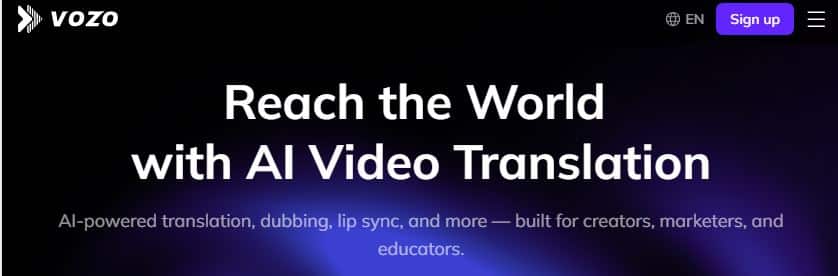
Vozo is one of the easiest AI video repurposing tools to use. You simply upload your long video, click a button, and Vozo automatically turns it into ready-to-post shorts with captions included.
What makes Vozo stand out is its AI scoring system. It analyzes your clips and predicts which ones have the highest chance of going viral. This helps you choose the best short videos to publish.
You can upload videos directly from YouTube, Google Drive, or Vimeo. Vozo also automatically resizes your content into vertical format, which is perfect for mobile viewers.
Key Features:
- AI Viral Scoring: Automatically ranks your short clips based on engagement potential.
- Auto Captions: Adds accurate subtitles to improve watch time and accessibility.
- Smart Vertical Framing: Adjusts your long videos into vertical shorts automatically.
- Multi-Platform Import: Upload directly from YouTube, Vimeo, or cloud storage.
- One-Click Clip Creation: Turn long videos into multiple shorts in minutes.
Price:
Free trial available. Paid plans start at $29 per month.
2. Vizard.ai
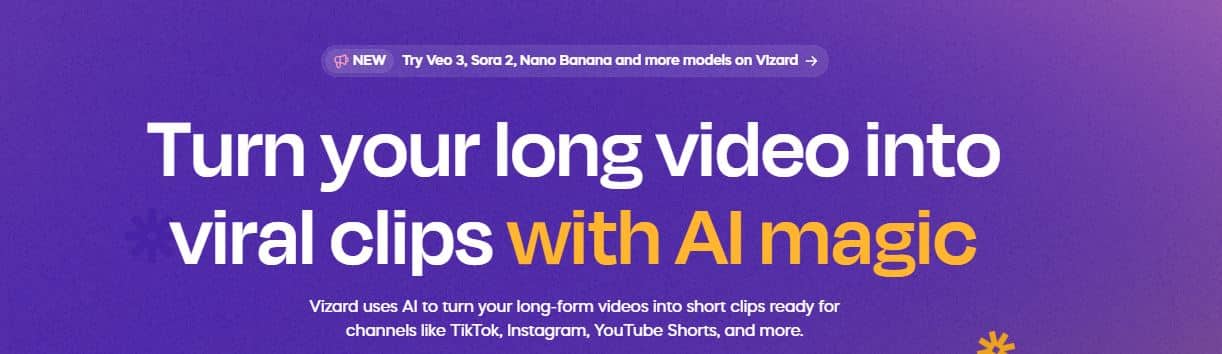
Vizard.ai is trusted by over 2 million users worldwide. It is designed specifically to help creators repurpose long videos into shorts that perform well on social media.
Its AI automatically detects the most engaging moments in your video and formats them for vertical viewing. It also adds captions and suggested hashtags to increase discoverability.
One powerful feature is text-based editing. Instead of trimming video timelines manually, you edit by modifying the transcript. This makes editing much faster and easier.
Key Features:
- AI Moment Detection: Identifies the most engaging parts of your video automatically.
- Text-Based Editing: Edit your video by editing the transcript.
- Auto Captions & Hashtags: Boost reach with built-in optimization tools.
- Vertical Auto Formatting: Converts horizontal videos into vertical shorts.
- Social Media Ready Export: Export optimized videos for TikTok, Reels, and Shorts.
Price:
Free trial available. Paid plans start at $29 per month.
3. OpusClip

OpusClip is extremely popular among podcasters and YouTube creators. It can transform long podcasts and interviews into short, punchy clips within minutes.
Its viral ranking system gives each generated short a performance score, helping you decide which clips are most likely to get views.
OpusClip also includes animated captions that look professional and increase viewer retention. You can publish directly to YouTube, TikTok, and Instagram.
Key Features:
- AI Viral Score: Predicts which shorts are most likely to perform well.
- Podcast-to-Shorts Automation: Perfect for interviews and long discussions.
- Animated Captions: Improve engagement with dynamic subtitles.
- Direct Social Publishing: Share content without leaving the dashboard.
- Batch Clip Creation: Generate multiple short clips from one long video.
Price:
Free plan with 60 minutes per month. Paid plans start at $15 per month.
4. InVideo AI
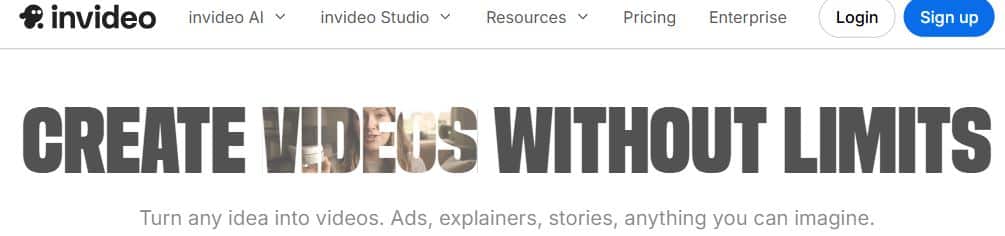
InVideo AI allows you to create videos using just text prompts. You enter your idea, and the platform generates scripts, visuals, and voiceovers automatically.
It is ideal for creators who do not want to appear on camera. You can also use it to cut down long videos into short-form clips for social media.
With access to millions of stock photos and videos, plus customizable templates, you can quickly produce professional-looking content.
Key Features:
- Text-to-Video AI: Generate full videos from simple text prompts.
- AI Script & Voiceover: Automatically creates scripts and narration.
- Massive Stock Library: Access millions of images and video clips.
- Short-Form Repurposing: Convert long content into engaging shorts.
- Customizable Templates: Create branded videos quickly.
Price:
Free plan available (with watermark). Paid plans start at $28 per month.
5. 2Short.ai
2Short.ai focuses on speed and simplicity. It helps you quickly repurpose long YouTube videos and podcasts into short clips optimized for vertical platforms.
The AI keeps speakers centered in the frame and automatically adds animated subtitles. This is especially helpful for viewers who watch videos without sound.
You can export high-quality clips without watermarks on paid plans, making your content look more professional.
Key Features:
- Auto Speaker Tracking: Keeps faces centered in vertical format.
- Animated Subtitles: Improves engagement and watch time.
- Fast Clip Generation: Create multiple shorts in minutes.
- High-Quality Export: Download watermark-free videos on paid plans.
- YouTube Optimization: Designed specifically for Shorts creators.
Price:
Free plan with 15 minutes per month. Paid plans start at $9.90 per month.
6. VEED.io
VEED.io is a complete online video editor with powerful AI tools. It is beginner-friendly but still offers advanced editing features.
The platform can automatically generate captions, remove background noise, and even correct eye contact using AI. These tools help your short videos look more polished and professional.
You can also add transitions, overlays, effects, and record your screen for tutorial-style content.
Key Features:
- AI Auto Captions: Improve accessibility and engagement.
- Background Noise Removal: Clean up audio instantly.
- Eye Contact Correction: Enhance on-camera presence.
- Full Video Editor: Add effects, text overlays, and transitions.
- Screen Recorder Included: Perfect for tutorials and demos.
Price:
Free plan available (with watermark). Paid plans start at $18 per month.
7. Veeroll
Veeroll is ideal for creators, marketers, and businesses that want to create short-form videos without filming anything.
This AI video generator creates scripts, visuals, voiceovers, and background music automatically.
It’s especially useful if you need to produce a high volume of promotional videos or social media shorts quickly.
You can customize every part of the video, and if something doesn’t look right, simply ask the AI to regenerate it.
Key Features:
- AI Script Generation: Automatically writes scripts for your short videos.
- Auto Voiceovers: Natural-sounding AI voices included.
- Stock Media Integration: Generates visuals and background music for you.
- Video Ad Creation: Perfect for promotional and marketing content.
- Regenerate with One Click: Quickly refine and improve AI-generated scenes.
Price:
Plans start at $19 per month.
8. SendShort
SendShort is built for speed. It helps you repurpose long videos into shorts in just minutes, making it ideal for creators who need to post consistently.
The AI automatically detects the best moments in your video and turns them into engaging clips. It adds captions with emojis to increase viewer engagement and improve watch time.
SendShort also supports faceless video creation. The AI can generate scripts and visuals, so you don’t need to appear on camera.
Key Features:
- AI Highlight Detection: Finds the most engaging moments automatically.
- Emoji Captions: Adds fun, eye-catching subtitles.
- Faceless Video Creation: Generate videos without filming yourself.
- Fast Processing: Turn long videos into shorts in minutes.
- Social Media Optimization: Designed for TikTok, Reels, and YouTube Shorts.
Price:
Free trial with 3 videos. Paid plans start at $15 per month.
9. Synthesia
Synthesia stands out because it uses AI avatars instead of traditional video editing. These digital presenters can speak your script naturally on camera.
You can choose from over 180 avatars or create a custom digital twin. This makes Synthesia perfect for training videos, business presentations, and educational content.
It also supports voiceovers in more than 140 languages, making it ideal for global content creators and businesses.
Key Features:
- AI Avatars: Choose from 180+ digital presenters.
- Custom Digital Twin: Create an AI version of yourself.
- 140+ Languages: Reach global audiences easily.
- Script-to-Video Automation: Turn text into professional videos.
- Business & Training Focus: Ideal for corporate and educational content.
Price:
Plans start at $29 per month.
10. Lumen5
Lumen5 is a powerful AI tool that converts blog posts and written content into engaging video shorts. If you already publish articles, you can quickly transform them into video content for social media.
Simply paste your blog post, and the AI selects key points, adds visuals, overlays text, and includes background music automatically.
This makes Lumen5 perfect for bloggers and content marketers who want to repurpose written content into short videos.
Key Features:
- Blog-to-Video Conversion: Turn articles into short-form videos.
- AI Content Highlighting: Extracts the most important points automatically.
- Built-In Media Library: Access stock images and video clips.
- Text Overlay Templates: Create engaging visual captions.
- Marketing-Friendly Design: Ideal for brands and bloggers.
Price:
Plans start at $29 per month.
11. Kapwing
Kapwing is a popular online video editor with powerful AI features for creating short videos from long content. It’s beginner-friendly and works directly in your web browser.
The AI can remove silent sections, automatically add subtitles, and resize videos for vertical platforms like TikTok and YouTube Shorts. It also includes ready-made templates to speed up editing.
Because Kapwing runs entirely online, you don’t need to download or install anything.
Key Features:
- Auto Silence Removal: Instantly cut dead space from videos.
- AI Subtitles: Generate accurate captions automatically.
- Video Resizing Tool: Convert horizontal videos into vertical shorts.
- Online Editor: No software installation required.
- Ready-Made Templates: Create professional shorts faster.
Price:
Free plan available. Paid plans start at $16 per month.
What Are The Best AI Tools to Repurpose Long Videos into Shorts For Content Creators?
The best AI tool to repurpose long videos into shorts depends on your content style, workflow, and goals.
Each platform offers powerful AI features that help content creators automatically turn long-form videos into short, engaging clips for YouTube Shorts, TikTok, and Instagram Reels.
These AI video repurposing tools use smart algorithms to detect the most interesting moments, add captions, resize videos into vertical format, and even predict which clips are most likely to go viral.
Content creators should also consider pricing, export quality, editing flexibility, and ease of use before choosing a tool.
Some platforms are fully automated, while others offer more manual control for advanced editing.
If your goal is speed and automation, tools like OpusClip, SendShort, and Vozo are excellent options.
If you want more customization and professional editing features, VEED.io and Kapwing provide greater flexibility.
For creators who prefer faceless content, InVideo AI, Veeroll, and Synthesia allow you to generate videos using text, AI voices, or digital avatars.
Ultimately, the best AI tool for repurposing long videos into shorts is the one that fits your workflow and helps you publish consistently.
Wrap Up.
AI tools to repurpose long videos into shorts are game-changers for content creators.
Instead of spending hours editing, you can now turn one long video into multiple short clips in just minutes.
In addition to choosing the right software, having a clear content strategy is just as important. Focus on strong hooks, captions, and consistent posting to maximize results.
An AI video tool that automatically detects highlights and formats videos for social media can significantly boost your productivity.
On the other hand, even the most powerful tool will not help if you do not publish regularly or test different formats.
To recap, here are some of the best AI tools to repurpose long videos into shorts right now:
- Vozo – Best for simple, automated viral clip generation.
- OpusClip – Best for podcasters and viral scoring.
- Vizard.ai – Best for text-based editing and automation.
- SendShort – Best for speed and bulk content creation.
- VEED.io – Best for full editing control.
- InVideo AI – Best for faceless video creation.
Before choosing the right one, test the free plans and compare features based on your needs.
What do you think?
Have you tried any AI tools to turn long videos into shorts? Which one worked best for you?
Feel free to share your experience in the comments below.

7 Best Free AI Writing Tools of 2026 (Ranked and Reviewed)

5 Best AI Email Writing Tools of 2026 (Ranked and Reviewed)

I Tested 47 AI Music Generators — Only These 7 Are Worth It (2026)
About Author

Alma Coul
Alma is the founder and CEO of Eagles Digital. He is an SEO expert and has over seven years of experience in Web programming and building visibility for businesses through content marketing.